MERCURY UPDATE | April 23, 2025

Changelog three of three is here! Just like last month, we have made an abbreviated list of all the changes made in the last 30 days. There are many many more changes not listed here to improve performance and reliability that we won’t bore you with. We appreciate all those early adopters using Mercury who are on the tip of the spear using Mercury daily. They are not only blazing a trail for future users by smoothing out the rough spots, but also providing innovative ideas that make it a better solution!
FEATURED CHANGES
Featured changes are those that came highly requested and/or have a significant impact on functionality.
Project Specific Selection Sets + Import Selection Options
Previously, selection inputs had to be created at the Company level. This meant Patrick had to create them, and all projects had to sort through specific sets from every other project. The new "Selection Sets" button for each tool category takes the user to an interface for adding or managing the selection sets associated with that category. This same change made adding checklist items that are specific to the project easier as well.
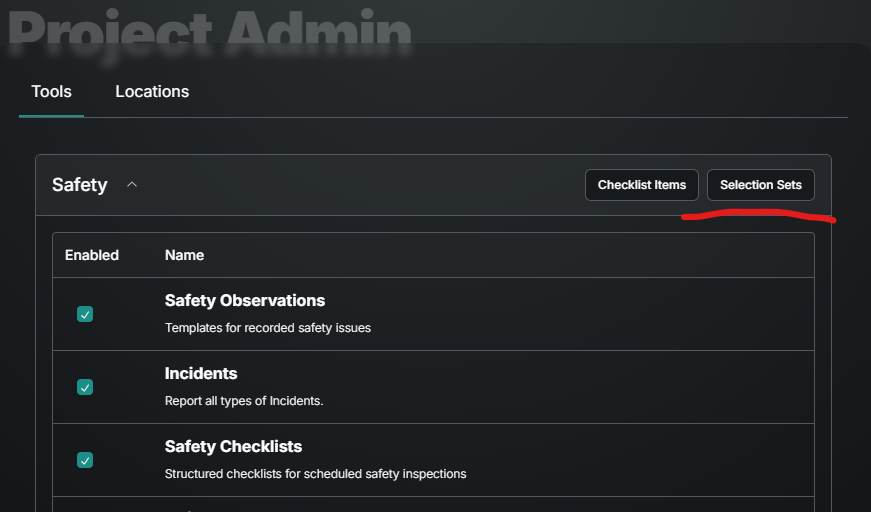
When adding or editing sets from this UI it is possible to copy paste from excel into an option label and have a new option added for each line.
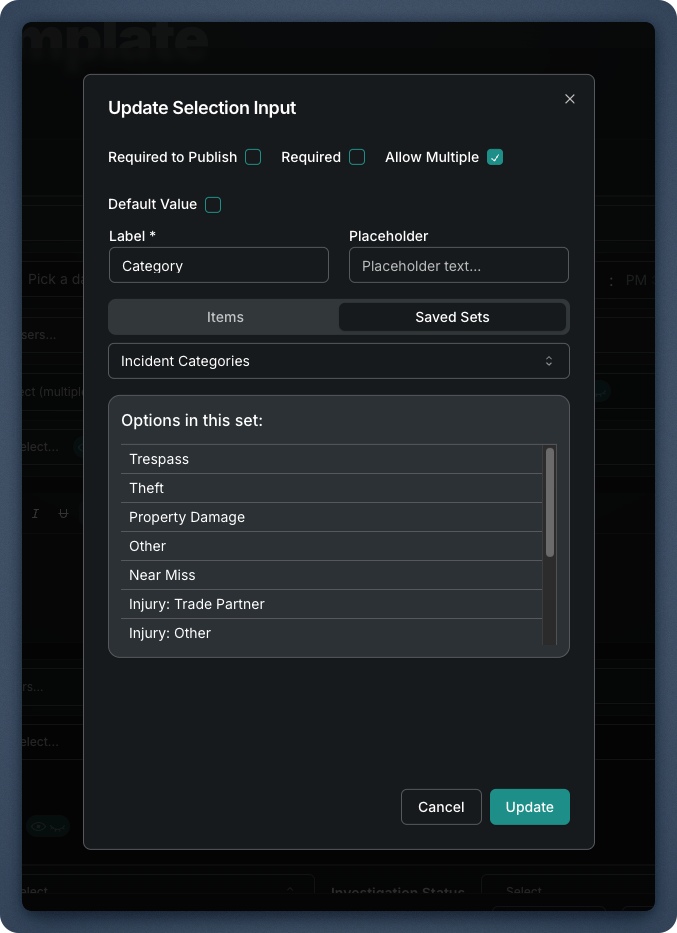
When adding or editing the selection input on a template, selecting a saved selection set will display the items from that set so you're no longer guessing which option set you want:
Audit Trail
All forms now have the ability to show a detailed history of each field… After the form is open, use the Options drop down to select Enable Audit Trail.

Once turned on, any field label can be selected to show who made changes, when and what the change was.

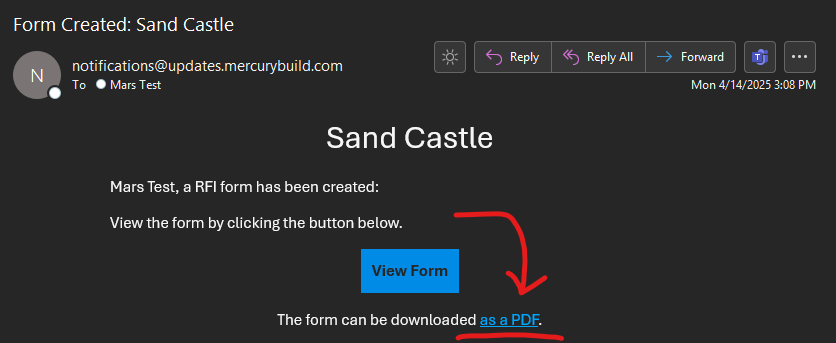
Notifications Include PDF Links
Now to quickly view a PDF without having a required attachment or login to Mercury, a PDF link is included with notifications. The link will open a new web browser tab and display the same view as if you were to use the Export button. The biggest benefit of this is for our external parties that will be able to quickly see the information without having to be a Mercury user. But who would not want to be a Mercury user??
ENHANCEMENTS AND FIXES
Here are all the changes made, grouped by where they can be found. Please reach out to pdesimone@shoestringvalley.com if you have any questions as to why these changes were made.
Daily Reports
The table view and export we have added totals for company, hours, and workers.
Copy from Previous on Workforce now includes a date selection. Only dates with workforce entries are selectable.
The “Date Represented” is available in addition to Date Created and Updated At to allow sorting by the calendar day the report is for.
When multiple users are editing a report, those changes are now merged to avoid losing work based on who hit save first or last.
Under Workforce the Notes field is now in the row below Hours, Workers and Location to make it larger and therefore easier to view more text in that field.
Dates in the past now require selecting Edit under the Options button. And there are no “Drafts” of Daily Reports, instead they are all Published as soon as they are saved.
Meetings
Previous notes from any past meeting (not just the most recent) can be viewed by selecting the Previous Notes area.
Documents
Document folders can now be recycled.
There are now no limit to the number of nested Folders (folders within folders).
Specific permissions can be set by folder to limit specific users (by name) or specific role (permissions role) access.
Documents larger than 1GB can now be uploaded and processed more quickly.
Directory
Groups in the directory can now be expanded to show which contacts are included by clicking on the number of contacts.
The User list can be Exported to Excel.
Mobile
Document list now allows scroll to the very bottom row.
Long Document names (Folders or Files) now wrap down instead of trailing off the row.
Forms & Inputs
The attachment input now allows for many attachments and organizes them into two neat columns.
Distribution history can now be found under the Options button of any form. This shows when the form was sent, to who, and who sent it.
Forms that are recycled after being published will retain their number, but the word VOID will be added in front of the number.
The table view on tool home screens no longer are missing fields.
General
Under Admin, the tool List now rolls up with the same interface as Planned Inspections
The tool home screen tables no longer extend row heights too tall from wrapping of text and instead have a fixed width and add the … to the end of the text.
Updating of items on ToDo list corrected to only include items currently in your court.